JEMI2028
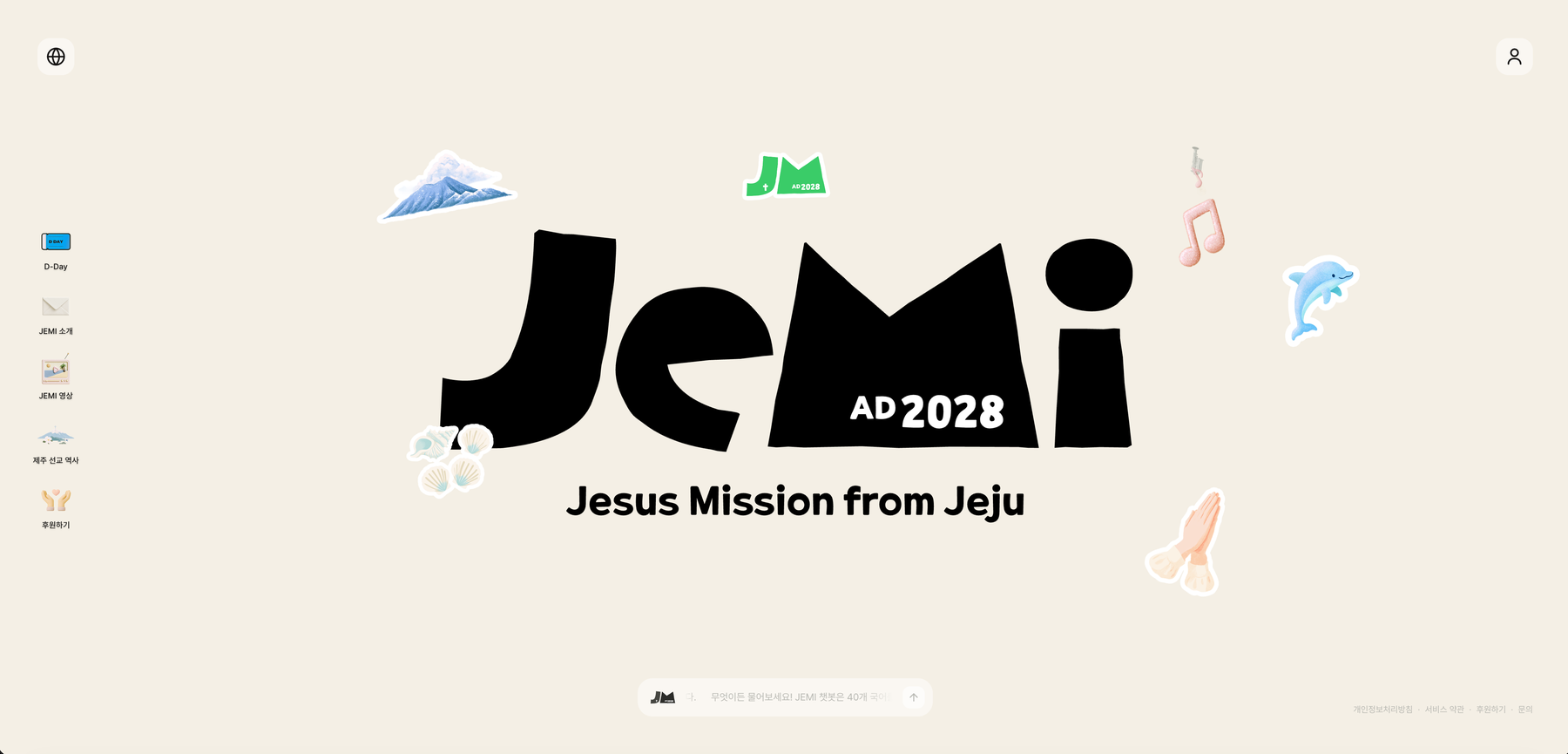
전 세계에서 참가자가 모이는 국제 컨퍼런스의 안내를 AI가 맡습니다. 홈페이지 어디서든 자기 나라 말로 물어보면 공식 자료를 근거로 답하고, 운영진은 개발자를 거치지 않고 콘솔에서 자료와 응답 품질을 직접 손봅니다. 아무것도 없는 상태에서 실서비스까지 3주가 걸렸습니다. AI handles the guidance for an international conference drawing attendees worldwide. Ask from anywhere on the site in your own language and it answers from the official materials, while the organizing team edits documents and answer quality straight from a console without going through a developer. Three weeks from nothing to live.
주요 기능Key capabilities
영어로 물으면 영어로 답합니다Ask in English, get English back
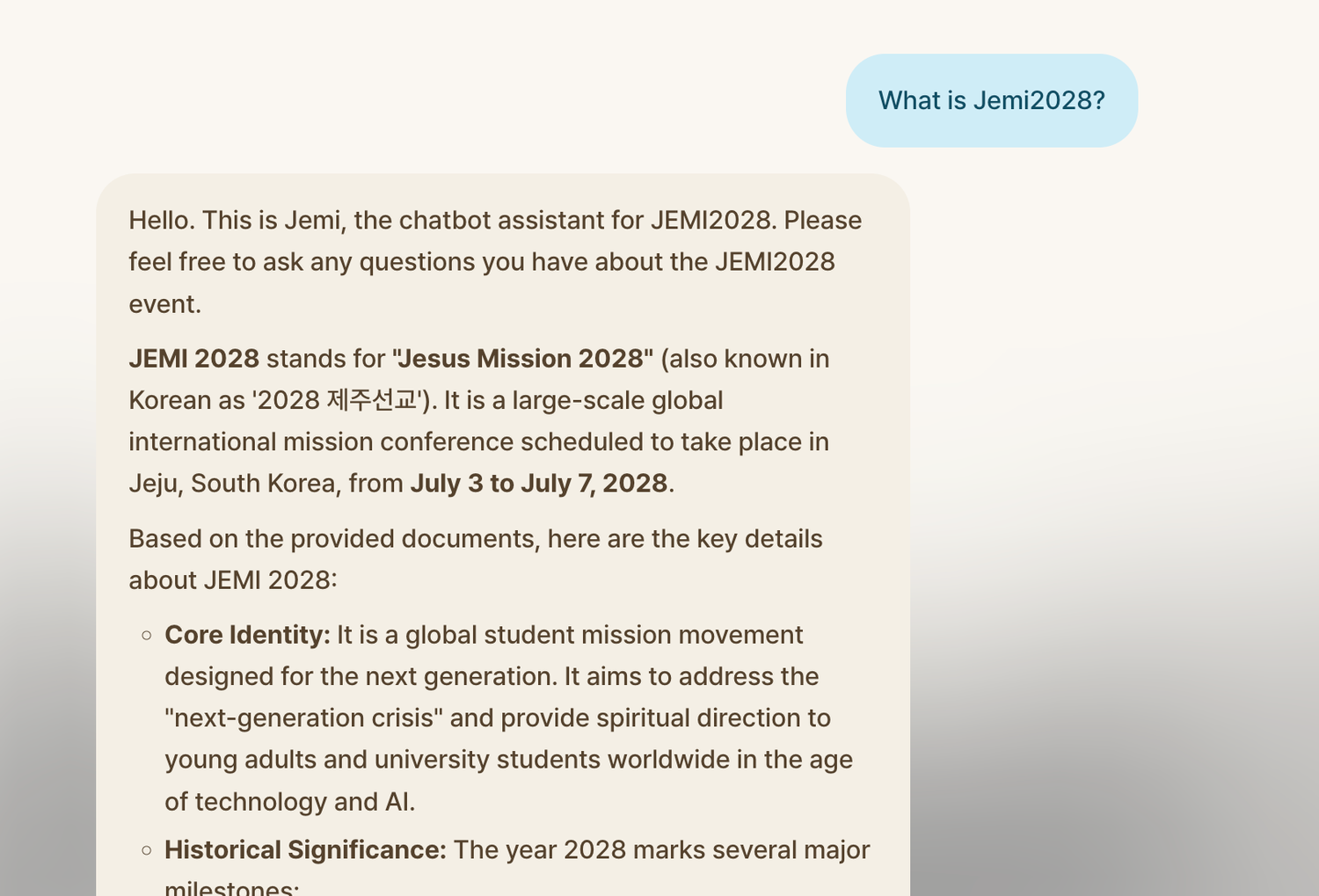
여러 나라에서 참가자가 오는데 안내 자료는 한국어뿐이었습니다. 질문한 언어를 알아서 맞춰 답하고, 내용은 공식 자료에서 찾은 근거로만 채웁니다. 번역 페이지를 따로 만들지 않고 자료 한 벌로 40개 언어를 받습니다.Attendees come from many countries, but the guidance material existed only in Korean. It replies in whatever language the question came in, filling the answer only from the official documents — so one set of material serves 40 languages with no translated pages to maintain.
주제별로 자료를 나눠 관리합니다Material is organized by topic
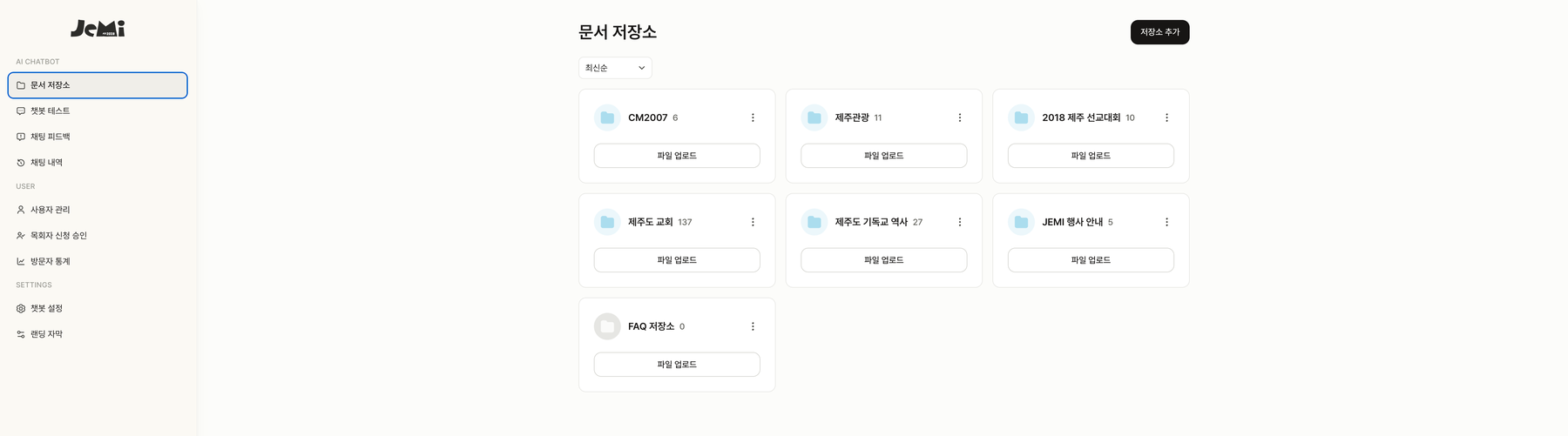
행사 안내, 지역 교회 목록, 선교 역사처럼 성격이 다른 자료를 한 덩어리로 두면 엉뚱한 답이 나옵니다. 주제별 저장소로 나눠 담고, 운영진이 콘솔에서 파일을 올리면 바로 학습됩니다. 어느 저장소에 몇 건이 들어 있는지 한눈에 보입니다.Lumping event guidance, local church listings, and mission history into one pile produces answers from the wrong place. Material is split into topic-based stores that organizers fill from the console, with the document count for each visible at a glance.
말투를 바꾸고 바로 옆에서 확인합니다Change the tone and see it right beside you
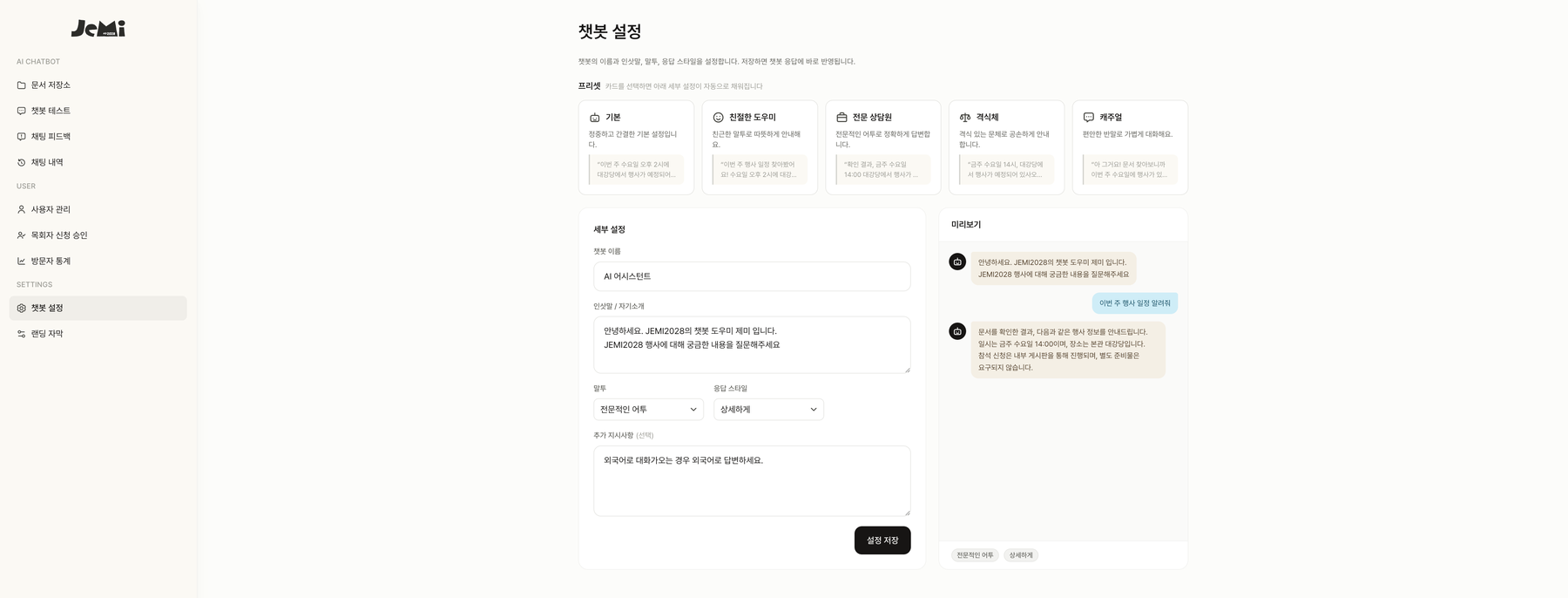
응답 스타일을 고치려고 개발자에게 요청하고 배포를 기다릴 필요가 없습니다. 프리셋을 고르거나 인삿말·말투·상세 수준을 직접 정하고, 오른쪽 미리보기에서 바뀐 답을 그 자리에서 확인합니다. "외국어로 물으면 외국어로 답하라" 같은 지시도 문장으로 추가합니다.Changing how it answers doesn't mean filing a request and waiting for a deploy. Pick a preset or set the greeting, tone, and level of detail yourself, then see the new reply immediately in the preview beside it — and add instructions in plain sentences, like "answer in the language you were asked in."
어느 나라에서 오는지 보고 준비합니다See where visitors come from, then prepare
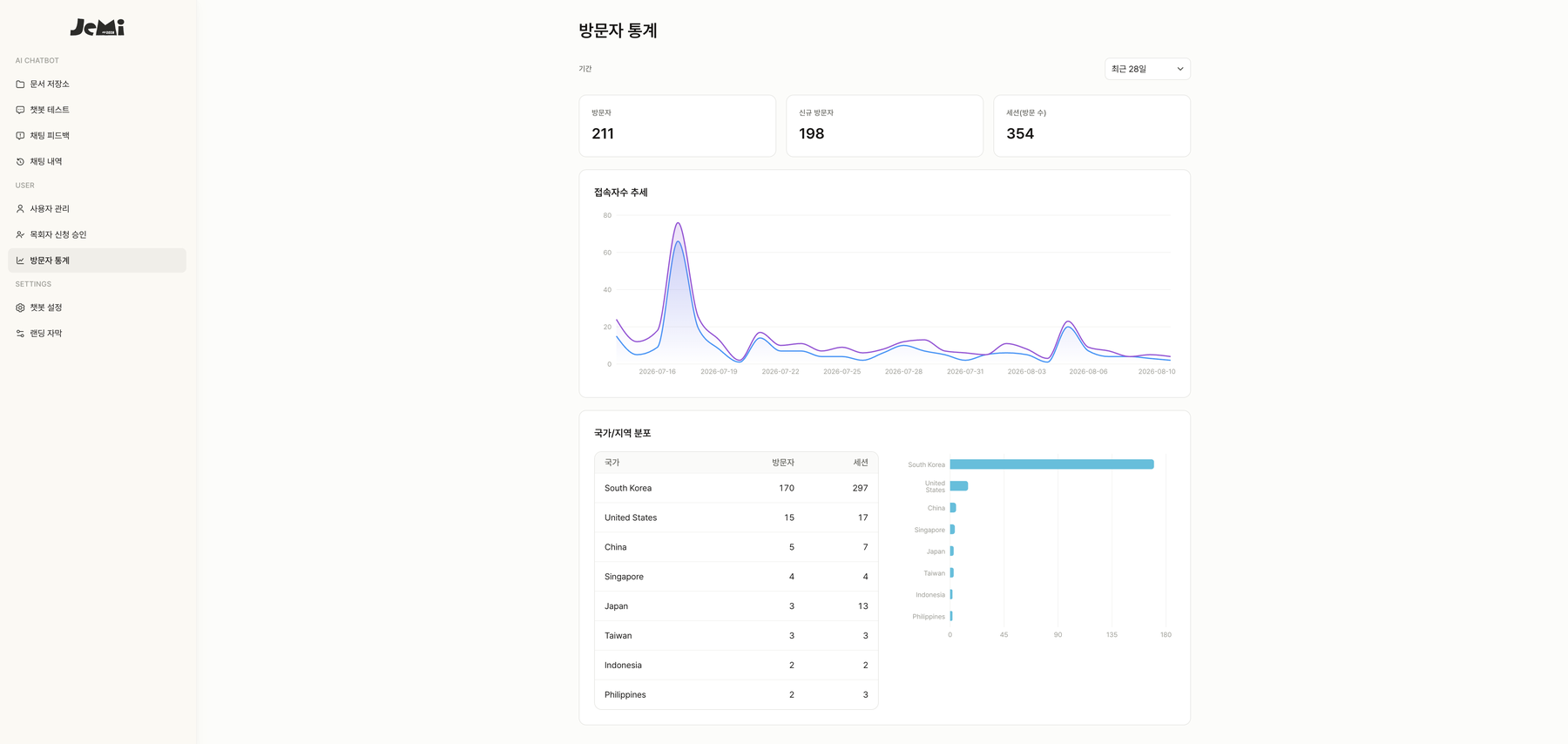
국제 행사라 어느 나라에서 얼마나 관심을 보이는지가 준비에 직접 영향을 줍니다. 방문자·세션 추이와 국가별 분포를 콘솔에서 바로 확인하고, 다국어 지원이 실제로 쓰이는지 데이터로 판단합니다.For an international event, which countries are paying attention feeds straight into planning. Visitor and session trends plus a country breakdown are right in the console, so the value of multilingual support is a data question rather than a guess.
누구나 물어볼 수 있지만, 자료는 권한대로 보입니다Anyone can ask, but documents follow permissions
로그인하지 않아도 바로 질문할 수 있고, 가입은 이메일 외에 Google·Kakao·Naver로도 됩니다. 자료마다 공개 범위를 정할 수 있어 내부용 문서는 권한 있는 사람에게만 검색됩니다. 답변에 전화번호 같은 개인정보 형태가 섞이면 자동으로 가려서 내보냅니다.You can ask without signing in, and sign-up works through Google, Kakao, or Naver as well as email. Each document carries its own visibility, so internal material is only retrievable by those allowed to see it — and anything shaped like a phone number or ID in a reply is masked on the way out.
질문이 답이 되는 과정From question to answer
검색과 답변 생성을 분리해, 답변 품질과 검색 품질을 따로 개선할 수 있게 만들었습니다.Retrieval and generation are separated so each can be improved on its own.
권한 확인Scope
질문한 사람이 볼 수 있는 자료만 검색 범위로 정합니다.Narrows the search to documents this person may see.
3단 검색Search
의미 + 키워드로 후보를 찾고, 재정렬로 가장 관련 있는 자료를 고릅니다.Finds candidates by meaning and keyword, then reranks for the most relevant.
답변 생성Generate
찾은 근거만으로 답을 만듭니다. 대화 맥락도 함께 반영합니다.Writes an answer from that evidence alone, with conversation context.
전달 · 기록Deliver · log
실시간으로 내려보내고, 인용 출처와 함께 대화를 남깁니다.Streams it out and stores the conversation with its citations.
시스템 구성System architecture
정적 프론트엔드와 API를 로드밸런서 하나로 같은 주소에 묶어, 쿠키 인증을 그대로 쓰면서 CORS 복잡도를 없앴습니다. 검증된 검색 구조를 이전 프로젝트에서 가져와 3주 타임라인을 맞췄습니다.One load balancer unifies the static front-end and the API under a single origin, keeping cookie auth simple and removing CORS entirely. The retrieval design was carried over from earlier work to make the three-week timeline.